
Best deadline tracker apps for students in 2026
Aug 14, 2026 · 8 min read
The best deadline tracker is the one that answers “what should I do first?”
You have four assignments due this week.
One is due tomorrow.
One is worth 20% of your grade.
One is a 2% quiz.
And one is a final project worth 35% that isn't due for another ten days.
A basic deadline tracker will tell you what's due next. That's useful.
It doesn't necessarily tell you what deserves your attention.
For students, that's an important distinction. The best planning app isn't just a place to dump dates. It should help you understand your workload before everything turns into a Sunday-night emergency.
Here are the best deadline tracker apps for students in 2026, depending on what you actually need.
The best deadline tracker apps for students
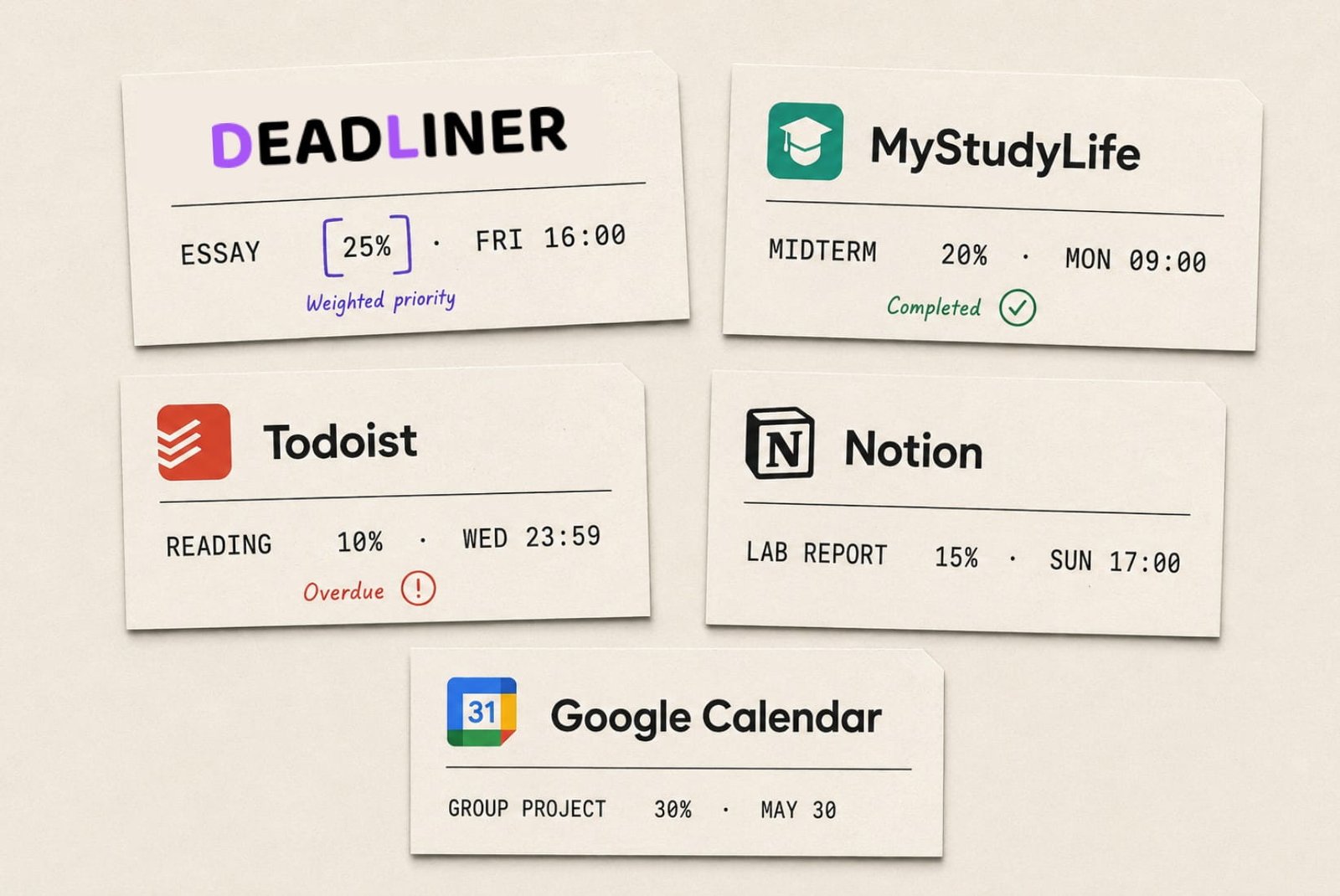
App | Best for | Main strength | Main limitation |
|---|---|---|---|
Deadliner | Grade-aware prioritization | Ranks work by grade weight | More focused than a general task manager |
MyStudyLife | Full academic planning | Classes, assignments, exams and schedules | Less focused on grade-weight prioritization |
Todoist | Flexible task management | Powerful tasks, projects and due dates | Built for everything, not specifically academic grades |
Notion | Custom student systems | Extremely flexible databases and templates | Requires setup |
Google Calendar + Tasks | Simple scheduling | Deadlines and tasks in one familiar ecosystem | Calendar-first rather than grade-first |
The right choice depends less on which app has the most features and more on what kind of problem you're trying to solve.
1. Deadliner — best for prioritizing by grade weight
If your main problem is “I have too many assignments and don't know which one actually matters,” Deadliner takes a different approach.
Instead of treating every deadline equally, it uses the weight of an assignment toward your final grade as a core part of prioritization.
That matters because a 30% final project and a 3% quiz shouldn't necessarily receive the same amount of attention just because they're both sitting in your task list.
The idea is simple:
A deadline tells you when something matters. Grade weight tells you how much it matters.
Deadliner is built around that distinction.
It's particularly useful if you want a focused student tool rather than another general-purpose productivity system.
Best for: Students who want to know what deserves attention first.
Choose it if: Your biggest planning problem is prioritization, not a lack of places to put tasks.
2. MyStudyLife — best for managing your whole academic schedule
MyStudyLife is one of the more student-specific options on this list.
It combines classes, assignments, exams, schedules and reminders in one system. It also supports rotating timetables, which is useful if your school doesn't follow the simple “same classes every Monday” arrangement.
You can create assignments with due dates, categorize tasks by type, add exams and build revision tasks around them.
That makes MyStudyLife a strong choice if you want your academic life represented as an actual academic schedule rather than a collection of generic tasks.
Best for: Students who want classes, exams and assignments in one academic planner.
Choose it if: Your timetable is complicated and you want the app to understand the school context.
3. Todoist — best for students who want a powerful task manager
Todoist isn't specifically an academic app, and that's part of its appeal.
You can organize courses into projects, use sections for assignments and exams, add due dates, and break larger projects into smaller tasks. Todoist even has a dedicated Student Planning template for organizing readings, assignments and exam dates.
It's also useful when school isn't your entire life. You can keep assignments alongside work, personal tasks, errands and everything else you need to remember.
The trade-off is that you're building a student workflow inside a general-purpose task manager. It knows that something is due Friday. It doesn't inherently know that the Friday assignment is worth 30% of your grade.
Todoist's free plan is available, while advanced features such as calendar layouts and task duration are part of Pro.
Best for: Students who already think in tasks and projects.
Choose it if: You want one task manager for school and everything outside school.
4. Notion — best for building your own student system
Notion can become almost anything you want it to be.
That's both the feature and the warning label.
Notion has a large collection of student planner and assignment-tracking templates. Its student planning ecosystem covers calendars, assignments, exams, courses and other academic information, with databases that can be customized into different views.
If you enjoy building your own system, it's hard to beat the flexibility.
You can create a database with columns for:
Assignment
Course
Due date
Grade weight
Status
Estimated effort
Priority
You can then sort and filter it however you like.
But there is a catch.
You have to build the system.
If you spend two hours designing the perfect semester dashboard and twelve minutes actually studying, the dashboard has won.
Best for: Students who enjoy customization and want notes, planning and assignments together.
Choose it if: You want to design your own academic workspace rather than use a dedicated planner.
5. Google Calendar + Tasks — best for keeping things simple
Google Calendar and Google Tasks are a good option if you don't want another specialized app.
Tasks with dates appear directly in Google Calendar, and you can add times and reminders to them. Tasks also sync across devices when you're using the same Google Account.
For a student who already lives in Gmail and Google Calendar, this has an obvious advantage: there's almost nothing new to learn.
It's also good for seeing deadlines alongside your actual schedule.
The limitation is the same one you'll find with most calendar-first systems: a calendar shows when something happens, not necessarily how important it is to your final grade.
A 40% final project and a 2% worksheet are still just two entries on the calendar.
Best for: Students who want a basic, familiar system.
Choose it if: You mostly need somewhere reliable to put dates and reminders.
What should a student look for in a deadline tracker?
Before choosing an app, check whether it handles these five things.
1. Assignment deadlines
Obviously.
If you can't quickly see what's due this week, the rest doesn't matter.
2. Grade weight
This is the overlooked one.
Knowing that an essay is due Friday is useful.
Knowing that the essay is worth 30% of your final grade is much more useful when deciding how much time to give it.
3. Course organization
You should be able to tell whether the upcoming deadline belongs to statistics, history or the course whose professor has apparently declared war on weekends.
4. Reminders
You shouldn't have to remember to remember.
Good reminders should make deadlines harder to accidentally ignore without turning your phone into a fire alarm.
5. A useful priority system
This is where deadline trackers start to differ.
Some primarily show dates.
Others let you manually assign priority.
The most useful systems go one step further and help answer:
What should I work on next?
Deadline tracker vs. calendar: what's the difference?
A calendar is excellent for answering:
“When is this due?”
A deadline tracker should help answer:
“What do I need to deal with?”
You can absolutely use a calendar for school. In fact, you probably should.
But if you have ten assignments scattered across five courses, simply putting all ten on a calendar doesn't automatically tell you how to prioritize them.
That's why grade weight matters.
Consider:
Assignment | Due | Weight |
Quiz | Tomorrow | 5% |
Essay | Friday | 15% |
Final project | Next week | 40% |
The quiz is the closest deadline.
The final project is the biggest academic risk.
A good system should help you see both facts at the same time.
Which deadline tracker should you choose?
If you want the shortest version:
Choose Deadliner if you care most about prioritizing assignments by grade weight.
Choose MyStudyLife if you want a dedicated academic planner for classes, exams and assignments.
Choose Todoist if you want a flexible task manager that works for school and personal life.
Choose Notion if you want to build your own academic system from scratch.
Choose Google Calendar + Tasks if you want something simple that already fits into your existing Google setup.
There isn't one universally “best” deadline tracker.
There is only the one that solves your particular planning problem.
If your problem is simply remembering dates, almost any option here will work.
If your problem is knowing what deserves your attention when everything looks urgent, grade weight becomes much more useful.
Do this before choosing an app
Take the next ten assignments on your syllabus.
Write down:
Due date
Course
Grade weight
Current status
Then ask yourself one question:
Does my current planning system tell me which of these assignments matters most?
If the answer is no, that's the feature you should optimize for.
Not another dashboard.
Not another color-coded calendar.
Not 47 productivity widgets.
Just a better answer to “What should I work on first?”
Deadliner ranks your assignments by what they're actually worth. Get started!