
Notion vs Todoist vs Deadliner: Which Deadline Tracker Actually Works for Students?
Aug 9, 2026 · 4 min read
If you've searched "best app to track school deadlines," you've probably landed on ten different "Top 10 productivity apps" listicles that all recommend the same five tools without ever explaining which one actually fits your situation. This isn't that post.
I've used Notion, tried Todoist, and eventually built Deadliner after watching myself and friends juggling multiple courses, labs, and part-time jobs, burn out trying to force a general-purpose tool to do one very specific job: track deadlines without becoming a second job itself.
Here's an honest breakdown of all three, including where each one wins.
The core problem: general tools vs. deadline-first tools
Most productivity apps are built to do everything, notes, databases, project management, habit tracking, wikis. That flexibility is powerful if you're running a business or managing a team. But if your actual problem is "I have 14 assignments, 3 exams, and 2 lab reports due across the next month and I keep losing track of them," flexibility becomes friction. You end up spending more time building the system than using it.
That's the gap between tools like Notion and Todoist (general-purpose) and something like Deadliner (deadline-first, single-purpose).
Notion
What it's good at: Notion is genuinely excellent if you want one place for notes, class schedules, reading lists, project wikis, and deadlines all connected together. If you already think in databases and enjoy building your own systems, Notion rewards that.
Where it struggles for deadline tracking specifically:
Blank-canvas by design. You have to build your own deadline tracker from scratch, or copy a template that's rarely 1:1 with how you actually work.
Decision paralysis is real. Every view, filter, and property is a decision to make before the tool is even useful.
Mobile experience is functional but not fast, checking "what's due this week" takes more taps than it should.
Best for: Students who already use Notion for notes and want deadlines integrated into a bigger system, and who enjoy customizing.
Todoist
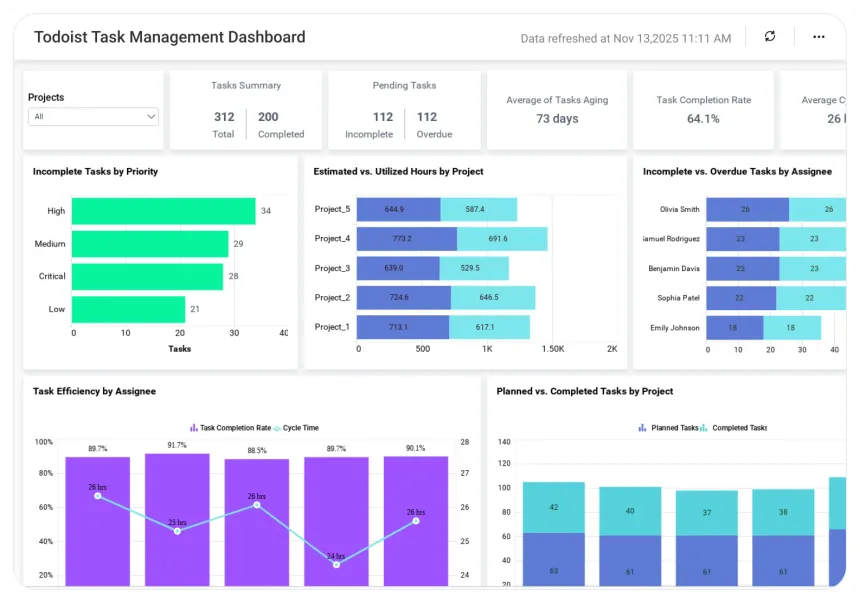
What it's good at: Todoist is a clean, mature to-do list app with solid recurring tasks, natural language due dates ("submit essay next Friday 5pm"), and cross-platform sync that just works.
Where it struggles for deadline tracking specifically:
It's a to-do list, not a deadline-context tool, a task due in 3 weeks looks the same as one due tomorrow unless you manually prioritize.
No built-in sense of "projects" with layered deadlines (e.g., a thesis with milestone dates leading up to a final submission).
Free tier caps active projects, which matters if you're tracking multiple courses, labs, and personal commitments at once.
Best for: People who want a fast, no-frills task list and don't need deadlines grouped by class, project, or context.
Deadliner
What it's good at: Deadliner exists specifically for the "I have deadlines coming from multiple directions and need to see what's actually urgent" problem. No databases to configure, no views to build, you add a deadline, and it's immediately visible in a way that's sorted by urgency, not just chronology.
Where it's more limited:
It's not a full project management or note-taking tool, if you want deadlines and notes and a wiki in one place, Notion still wins on that front.
It's newer and smaller than Notion or Todoist, so it doesn't have the same plugin/integration ecosystem yet.
Best for: Students specifically dealing with deadline overload, multiple courses, labs, TA responsibilities, part-time work. Who want something that's useful in under a minute with zero setup.
Quick comparison
Notion | Todoist | Deadliner | |
|---|---|---|---|
Setup time | High (build your own system) | Low | Very low |
Best for | Notes + deadlines combined | General to-do lists | Deadline-only tracking |
Learning curve | Steep | Low | Very low |
Free tier limits | Generous | Limited active projects | Generous |
Ideal user | System-builders | Task-list minimalists | Deadline-overwhelmed students |
So which one should you actually use?
Honestly, it depends on what's actually slowing you down right now:
If your problem is "I have no system at all" and you enjoy building one, Notion will serve you well long-term, but budget time to set it up.
If your problem is "I need a fast, simple to-do list" for daily tasks (not necessarily deadline-heavy), Todoist is hard to beat.
If your problem is specifically "I keep losing track of what's due when, across too many classes and commitments" — that's the exact gap Deadliner was built to fill, and it's worth trying since setup takes minutes, not hours.
Tools aren't one-size-fits-all, and the "best" one is the one you'll actually keep using in week three, not just week one. If deadline overload is your specific problem, give Deadliner a try, it's free to start.